Jigsaw Puzzle Rules: How to Play Together
Jigsaw Puzzle is a jigsaw for the whole room. The pieces are shared out between everyone’s phones, and you all build the same picture on one shared table.
What you need
A phone, tablet or computer with a browser. Each player uses their own device.
One player is enough. Do it alone, with bots helping, or with friends. Everyone works on the same board at the same time; there are no turns.
Sizes
The host picks one of four sizes before the deal.
- Tiny: 12 pieces, 4 across and 3 down.
- Small: 24 pieces, 6 by 4.
- Medium: 48 pieces, 8 by 6.
- Large: 96 pieces, 12 by 8.
The pictures
The host picks the picture, or taps Surprise me for one at random. Every deal is cut fresh, so the same picture comes apart differently each time.
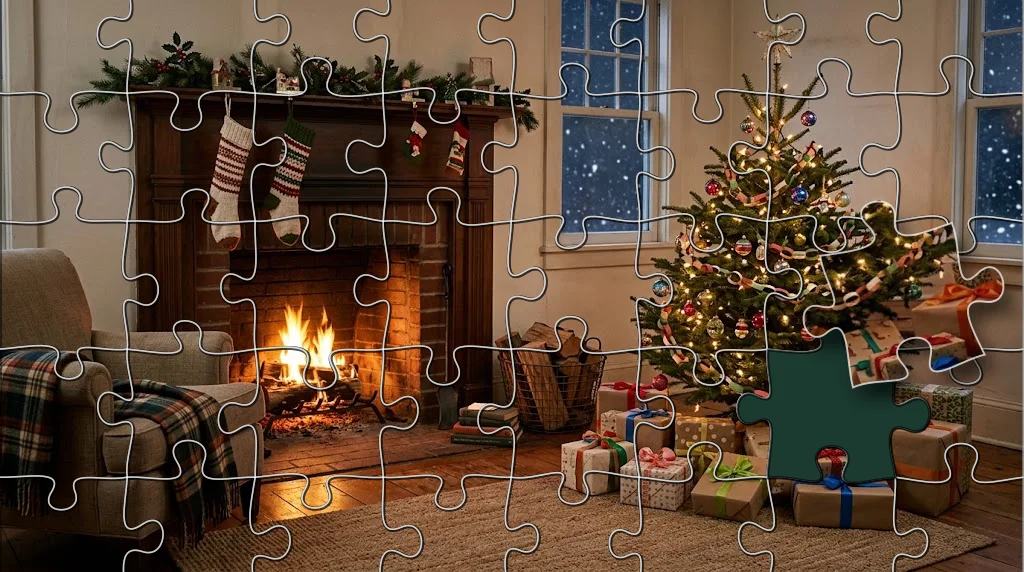
The pieces have the classic shape: a tab or a hole on every inside edge, and a straight side along the border.
Setting up
- Host a room and share the room code, or play on your own.
- Add bots in the lobby if you want help.
- Start the game. Everyone gathers on the game screen.
- The host picks a size and a picture and taps Start.
- Everyone on the game screen at that moment, bots included, gets a share of the pieces in a tray along the bottom of their screen. The edge pieces are shared out first, so everyone gets some of the border.
Putting a piece in
- Find a piece in your tray. Swipe the tray sideways to see the rest.
- Tap it to turn it a quarter turn. Pieces start turned every which way.
- Drag it up out of the tray and onto the board.
- If it is in its spot and turned the right way up, it locks in with a chime and a glow. A locked piece never moves again.
Loose pieces
A piece put down anywhere other than its spot stays where you left it, loose on the table, on top of whatever is under it.
Anyone can pick up a loose piece, turn it, and put it in. Drag a loose piece back down onto your tray to keep it there.
A piece someone is holding shows raised and tinted in their color. Nobody else can take it until they put it down.
Seeing the picture
Tap the eye at the top right of the table to see the whole picture, and tap it again to hide it.
Sorting your tray
The three buttons over the tray put it in order.
- Mixed: the order they were dealt.
- Edges: the border pieces first.
- Colors: pieces of a similar color side by side.
Scoring and winning
Everyone builds the picture together, and the board is done when the last piece locks in. The final screen shows the finished picture and how long it took.
Every piece you lock in counts for you, whoever’s tray it started in. The final count lists everyone from most pieces to fewest.
A tie goes to whoever put their pieces in sooner on average.
Every rule and edge case
- Ending early: in a room with others, the host can tap End to stop the board where it is. The final screen then counts the pieces that were in.
- Pause: the pause button stops the game for everyone.
- Someone’s phone drops: any piece they were holding goes back on the table. If they are gone for 45 seconds, the pieces still in their tray are laid out loose round the board for everyone else. If they come back, they carry on.
- A late joiner: the pieces are shared out at the deal. Anyone who arrives after it can still pick up loose pieces from the table.
- The host leaves the game: the game cannot go on, and everyone sees that the host left. Start again to do a new board.
- Play again: when the board is done, the host can pick a new size and picture.
Bots
Bots get a share of the pieces like any player and put them in at their own pace: about one every 9 seconds on Easy, 5½ on Medium and 3 on Hard.
Now and then a bot puts a piece down near its spot but turned the wrong way, for someone to fix. Easy bots do it most. Once a bot’s tray is empty, it helps with the loose pieces on the table.
Playing solo
Host a room on your own and start. Every piece goes in your tray, and the clock shows how long the board takes you.
Playing with friends anywhere
Host a room and send the room code or invite link. Friends open it on their own phones, wherever they are. Everyone works on the same table, and a piece one of you locks in shows for all of you at once.
Playing as a party with a TV
Open joinme.games/watch on a TV or laptop and enter the room code. The big screen shows the whole table, the clock and how many pieces are in, then the finished picture and the final count.
Players still move pieces on their own phones. The TV only watches.
Controls
- Drag a piece to move it. Tap a piece to turn it.
- Pinch, scroll or double-tap to zoom in. Drag the bare table to look around.
- The eye shows and hides the picture. The corners button shows the whole table again.
- The question mark shows the instructions.
Questions
- How do you play Jigsaw Puzzle?
- The pieces are shared out between everyone’s phones. Drag a piece from your tray onto the board and tap it to turn it. In its spot and turned the right way, it locks in. The board is done when the last piece is in.
- Can you do a jigsaw puzzle with friends online?
- Yes. Host a room and send the code. Friends join from their own phones, wherever they are, and everyone builds the same picture on one shared table.
- How many pieces can a jigsaw have?
- Four sizes: Tiny has 12 pieces, Small 24, Medium 48 and Large 96.
- Do the pieces need turning?
- Yes. Pieces start turned every which way. Tap one to turn it a quarter turn. A piece only locks in when it is turned the right way up.
- Can I see the picture while I build it?
- Yes. Tap the eye at the top right of the table to see it, and tap it again to hide it.
- What happens if someone leaves in the middle?
- A piece they were holding goes back on the table. After 45 seconds away, the pieces left in their tray are laid out loose round the board, so the rest of you can finish.