

Mahjong Solitaire
One pile of tiles. Everyone races to clear it.
- Party: As a party
- Online: With friends, from anywhere
- Solo: Solo, with bots
- 1Press Play
- 2Friends join by code
- 3Play together
1 / 6
Race, or play one pile together
The host picks: a copy of the same pile each, or one shared pile.
About Mahjong Solitaire
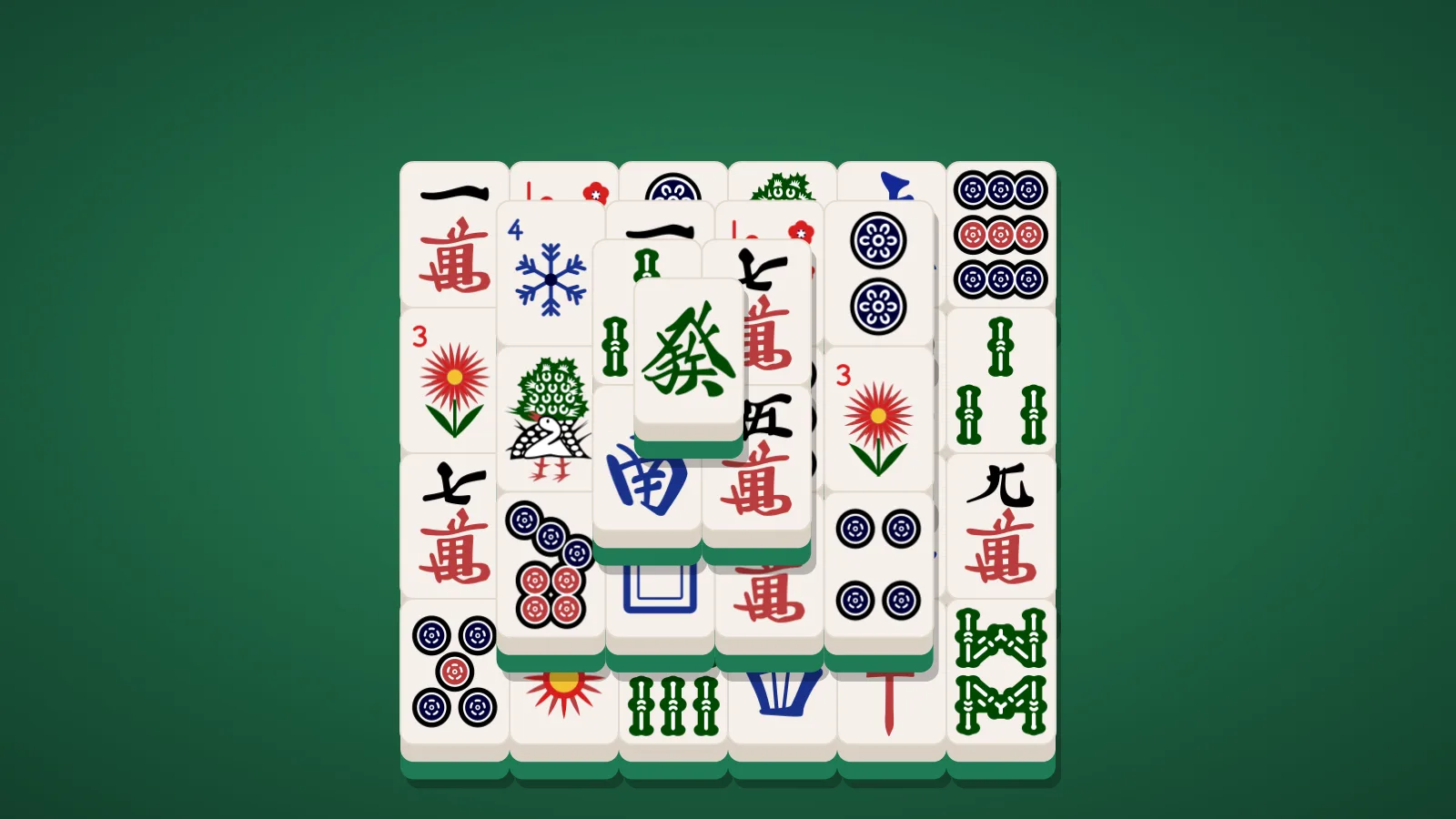
Mahjong Solitaire is the tile-matching puzzle most game sites just call Mahjong. A pile of 144 mahjong tiles is stacked in a shape, and you clear it two matching tiles at a time.
A tile can only be taken when it is free: nothing lies on top of it, and its left or right side is open. Pick well, because the tile you need may be under the one you leave behind.
Here it is a race. Everyone gets the same pile, every pile can be cleared, and the first to clear it wins. The pile is 3D: turn it to see what is underneath, and one tap brings back the view from above.
How to play
- Tap two matching tiles to clear them. Any two flowers match, and any two seasons.
- Only free tiles: nothing on top, and the left or right side open. Blocked tiles are shaded.
- The bulb lights a pair that keeps the pile clearable. Undo is free.
- The first to clear the pile wins. With a time limit, the most pairs cleared wins.
The full rules of Mahjong Solitaire →How to win at Mahjong Solitaire →
Controls
- Tap a tile, then its match. Tap it again to put it down.
- One finger moves the pile, like a map; two fingers turn it and pinch to zoom. The arrows button swaps them, for rotate mode (on a computer, drag and right-drag swap the same way). The corners button brings back the view from above, fitted to the tiles left.
Playing with friends
- Press Play and you are in as a guest, with a short game code for your group.
- Share the code or the invite link with your friends.
- Friends open it on their own phones and they are in.
- The host presses Play and everyone starts together.
- Put it on the TV if you like: any screen with a browser shows the game live. How to show it on your TV →
Questions
- Can every game be won?
- Yes. Every pile is dealt so it can be cleared. If you take the wrong pairs and run out, Shuffle lays the tiles still standing out again so it can still be cleared, for a minute on your clock. Undo is free, so taking moves back is often quicker.
- Do I need to know mahjong?
- No. You only match tiles that look the same. There is nothing to read: the only tiles that match without looking alike are the flowers, which match any other flower, and the seasons, which match any other season.
- Do I need an account?
- No. Press Play and you are in as a guest, with a name picked for you. A guest lasts 24 hours. Sign in with Google or Apple to pick your own name and color and keep them on every device, or to take out a Party Pass. Your real name is never shown.
- Do I need to download anything?
- No. Every game runs in the browser on your phone, tablet or computer. Open joinme.games and play. You can add it to your home screen for an app-like experience.
- How do my friends join?
- Host a room and you get a short game code. Share the code or the invite link. Friends open it on their own phones and they are in the room straight away — nothing to press. The host starts the round for everyone.
- Does it work on iPhone and Android?
- Yes. Any modern phone browser works, and the same game runs on a laptop or a tablet. Everyone in a group can be on different devices.
- Is it free?
- The games on this page are free to play. A Party Pass removes ads for you and everyone you host, and gives you a custom room code and a name of your own.